
Automatic duplex printing
Print both faces within one job using the K30D.
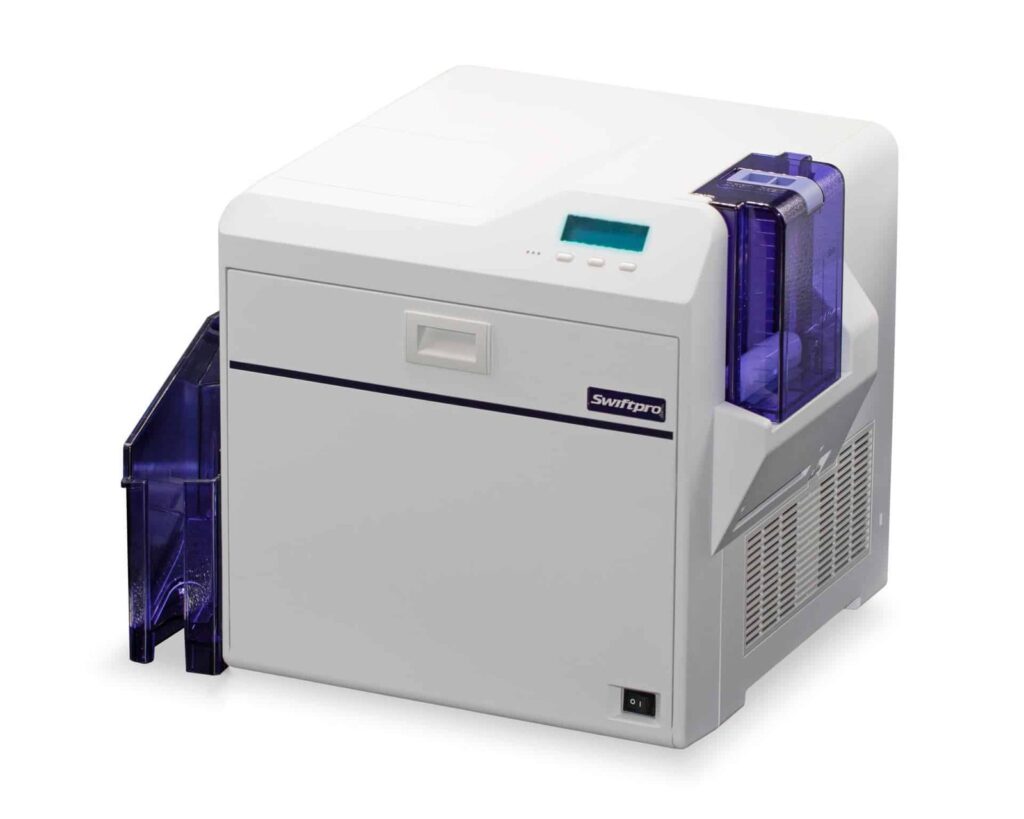
Check the full product specification before ordering.
Swiftpro
SKU: 7710006149
Available to order
Dual-sided Swiftpro K30D retransfer printer with 300 × 300 dpi output and 100-card input/output hoppers. Requires compatible ribbon and separate InTM film. Encoding and lamination need the appropriate configuration.
Prices exclude VAT. Choose the exact pack or option you need.
Swiftpro K30D · Original manufacturer PDF.
Check the selected configuration and bundle contents against this product listing.
Print both faces within one job using the K30D.
Verified 300 × 300 dpi resolution for these K30-series models.
Select both consumables and any optional encoder or laminator.
The Swiftpro K30D retransfer printer prints both faces of an ID card automatically at 300 × 300 dpi. Use the front for a clear photograph and identification, then add contact details, membership information or a barcode on the reverse. Retransfer printing forms the design on InTM film before applying it to approved card stock.

Automatic duplex printing helps when each card carries personalised information on both faces. Choose the artwork before selecting consumables: a colour front with a black-text reverse is a different job from colour on both faces. If only the front needs personalisation, compare the single-sided Swiftpro K30 instead.
Swiftpro's support guidance gives up to 65 cards per hour for a YMCK-K front and black reverse using InTM film. That should not be confused with its 120-card-per-hour single-sided YMCK figure. Your design, settings and any encoding affect the production rate, so plan for the complete job rather than a headline number alone.
The standard input and output hoppers each hold 100 cards. A 250-card input hopper is an optional upgrade; it does not increase the standard output capacity. The manufacturer specifies CR80 cards at 0.25–1.00 mm thickness. Material, surface finish and any lamination requirement must also be checked.
A matching print ribbon and separate InTM transfer film are both needed. Their image ratings do not necessarily equal the same number of completed two-sided cards. Confirm the exact references and print layout with ACB before ordering supplies. Start with our blank plastic card range when comparing suitable stock.
USB 2.0 and Ethernet are available printer connections. Swiftpro's separate Mac and Linux driver notes require current firmware and USB operation. Check the driver for your precise operating-system version, together with the design-software licence and features needed for your records.
Magnetic-stripe, contact and contactless encoding are configuration choices, not automatic inclusions with duplex printing. The encoder, software and card technology must work together. Printing an access-card design only personalises its surface; writing a chip or stripe is a separate operation.
No. A compatible L10 or L10D module is needed for additional lamination, with its own materials. InTM transfer film is required for printing and serves a different purpose. Confirm any module and suitable card stock with ACB.
Identify the exact credential technology and required encoding workflow before choosing cards. A matching card size alone is insufficient. Confirm the fitted encoder, supported software and any system-specific requirements before placing an equipment order.
Arrange approved cards, matching ribbon and film, design software, a supported computer and suitable cleaning supplies. Use Swiftpro's K30D specifications and driver and support guidance for technical checks. Ask ACB to help configure the setup, or compare our photo ID card printing service for supplied finished badges.
| Model | Swiftpro K30D, dual-sided |
|---|---|
| ACB reference | 7710006149 |
| Print technology | Retransfer |
| Resolution | 300 × 300 dpi |
| Card format / thickness | CR80; 0.25–1.00 mm |
| Input / output | 100 / 100 cards |
| Connections | USB 2.0 and Ethernet |
| Published mode rate | About 65/hour, YMCK-K duplex |
| Consumables | Colour ribbon plus separate InTM film |
| Mac / Linux connection | USB with current firmware; check driver version |
| Brand | Swiftpro |
| Product code | 7710006149 |
Check the complete manufacturer specification, selected options and included items before ordering.
Dispatch depends on the exact product and availability. Confirm any required date with ACB. For personalised products, production follows artwork/proof approval and courier transit is separate.
Read the delivery & returns policyHave the product code, existing equipment or card reference, quantity and intended use ready. ACB can help you check what needs confirming.
Call 01308 426312Match the exact model, card format or attachment when choosing supplies and accessories.
CONTINUE EXPLORING
Explore more products and check the exact model, fitting or technology before ordering.


