
Automatic two-sided layouts
Print the front and reverse in one job with the duplex configuration.
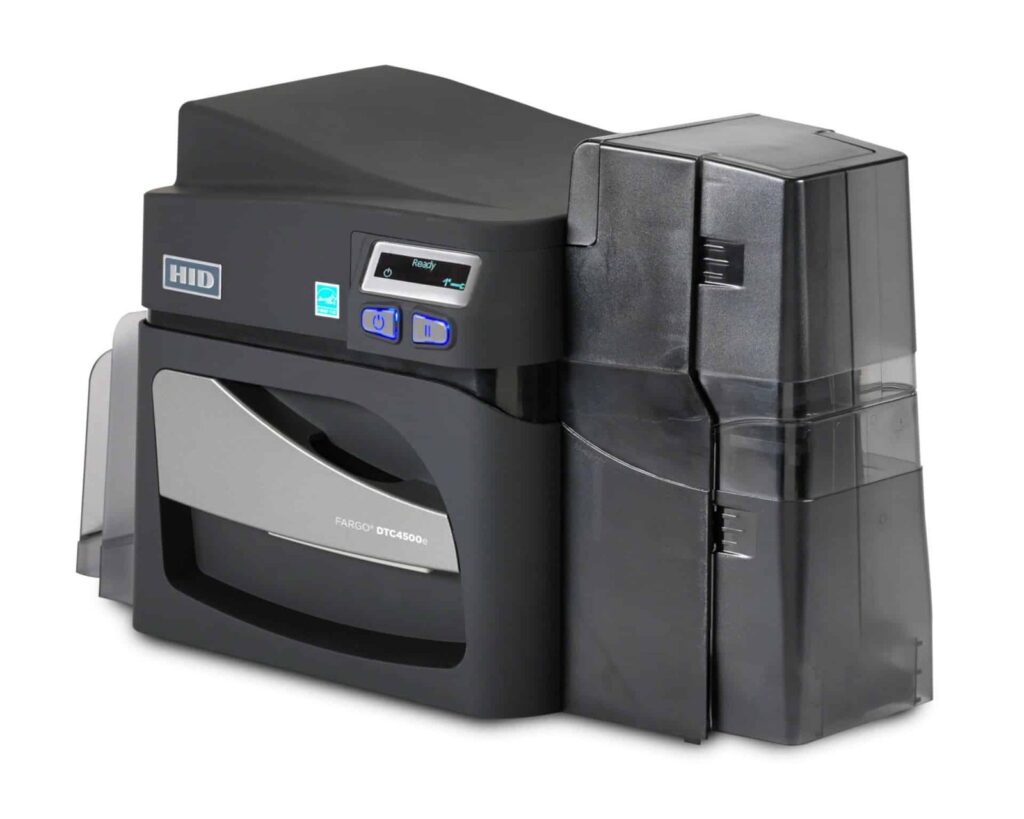
Check the full product specification before ordering.
SKU: 55100
Available to order
Dual-sided FARGO DTC4500e direct-to-card printer with automatic front-and-back output, a 200-card dual input hopper, USB and Ethernet. Lamination and encoding are separate options.
Prices exclude VAT. Choose the exact pack or option you need.
HID FARGO DTC4500e · Original manufacturer PDF.
Check the selected configuration and bundle contents against this product listing.
Print the front and reverse in one job with the duplex configuration.
Choose approved cards and ribbon settings for the intended print layout.
Confirm the workstation, design software, supplies and encoder requirements.
The Fargo DTC4500e dual-sided printer automatically turns each card to personalise both faces. Keep the photograph and identification details clear on the front, then use the reverse for contact information, a barcode or membership terms. This makes it easier to fit useful information onto a badge without crowding the main design.
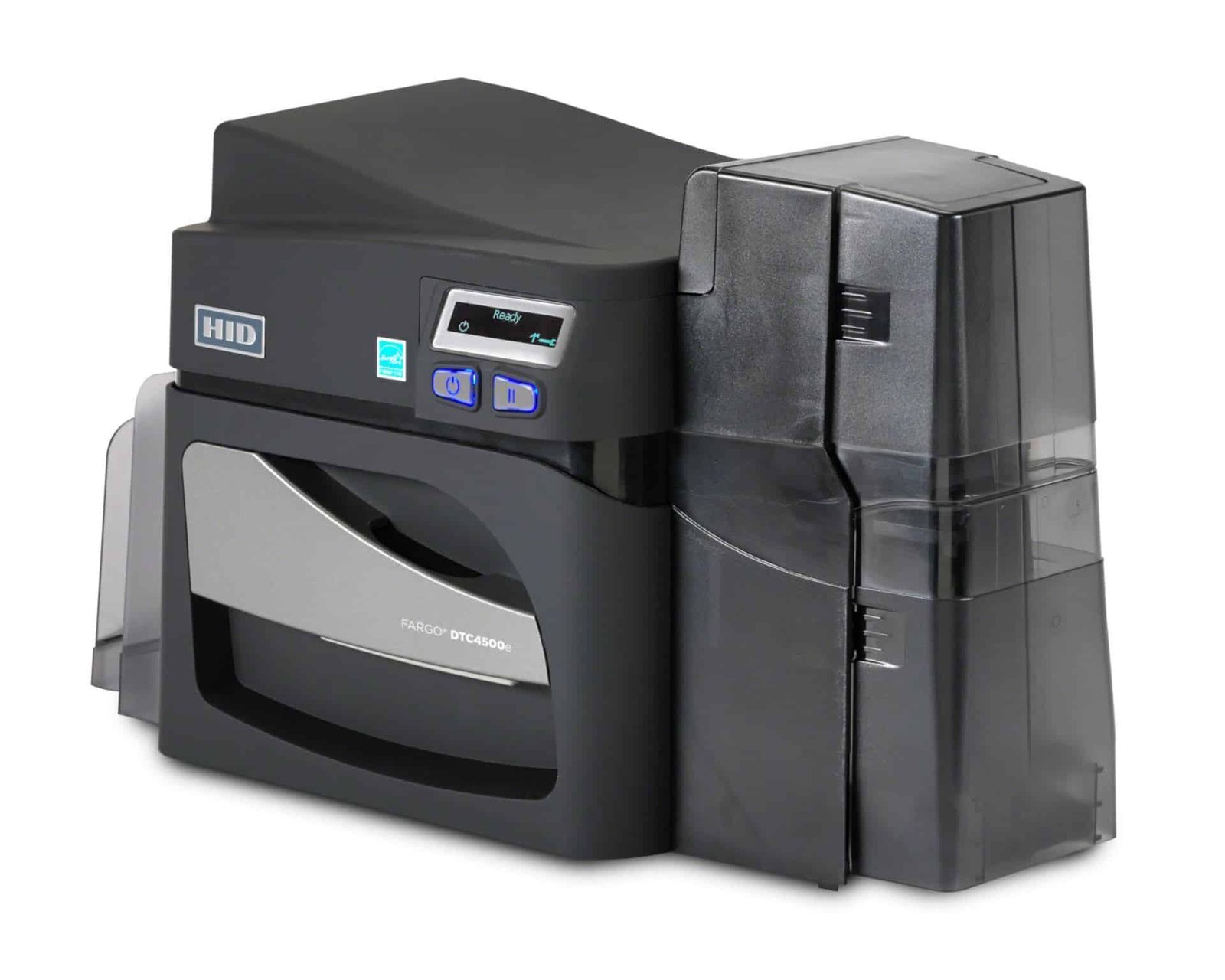
Choose the artwork for each face before selecting the ribbon. A colour front and black-text reverse needs a different print plan from a design with full colour on both faces. Compatible YMCKOK ribbons provide colour, two resin-black panels and an overlay panel; ask ACB to match the ribbon and driver settings to your actual layout.
If only one face needs personalised printing, the single-sided DTC4500e may suit the task. This duplex configuration is useful for repeated batches of staff badges, student identification and membership cards where reverse-side details change for each person.
The DTC4500e has a combined 200-card dual input hopper and a 100-card output hopper, measured with standard 0.762 mm stock. USB and Ethernet provide local and network connection choices. Check driver support for your computer and confirm the card-design software licence required for your data source.
Direct-to-card dye-sublimation and resin printing applies the design straight onto approved card stock. Standard resolution is 300 × 300 dpi, with an optimised 300 × 600 dpi mode listed in current HID specifications. The supplied unit, driver, card surface and print settings must be considered together when preparing the job.
Approved CR80 cards and supported CR79 adhesive-backed cards are accepted formats. Browse blank white PVC cards for everyday badges, checking thickness and finish. For a technology card, confirm both the printable surface and the chip specification. Adding artwork does not itself programme an access credential.
Choose the exact DTC4500e-compatible ribbon from the Fargo printer ribbon range. Plan for routine cleaning using the user guide and suitable products, including the Fargo 86177 cleaning kit. HID lists this kit under reference 086177.
No. Duplex printing applies your artwork to both faces. Lamination adds a separate protective material through an appropriately configured module. The dual-sided description of this printer does not mean a laminator or encoder is included.
HID's user guide gives approximate batch timings of 16 seconds for YMCKO and 24 seconds for YMCKOK. These are different ribbon modes. Encoding and computer image processing are excluded, so do not interpret 225 YMCKO cards per hour as a promise for every two-sided design.
The correct encoder must be fitted and work with your card technology, software and access system. Confirm the supplied configuration before ordering. See HID's DTC4500e specifications or ask ACB to help match the setup. For occasional batches without owning equipment, compare our photo ID card printing service.
| Model | FARGO DTC4500e, dual-sided |
|---|---|
| ACB reference | 55100 |
| Print technology | Direct-to-card dye-sublimation / resin |
| Resolution | 300 × 300 dpi; optimised 300 × 600 dpi |
| Card formats | CR80; supported CR79 adhesive back |
| Input capacity | 200 cards, dual input hopper |
| Output capacity | 100 cards |
| Connections | USB and Ethernet |
| Published YMCKO rate | 225 cards/hour; duplex output varies |
| Lamination / encoding | Separate configured options |
| Brand | Fargo |
| Product code | 55100 |
Check the complete manufacturer specification, selected options and included items before ordering.
Dispatch depends on the exact product and availability. Confirm any required date with ACB. For personalised products, production follows artwork/proof approval and courier transit is separate.
Read the delivery & returns policyHave the product code, existing equipment or card reference, quantity and intended use ready. ACB can help you check what needs confirming.
Call 01308 426312Match the exact model, card format or attachment when choosing supplies and accessories.
CONTINUE EXPLORING
Explore more products and check the exact model, fitting or technology before ordering.


SKU: 3300-0021/3

SKU: 50000
