
100-record edition
For a database within the Lite limit.
Check the full product specification before ordering.
SKU: S-EB-LITE
Available to order
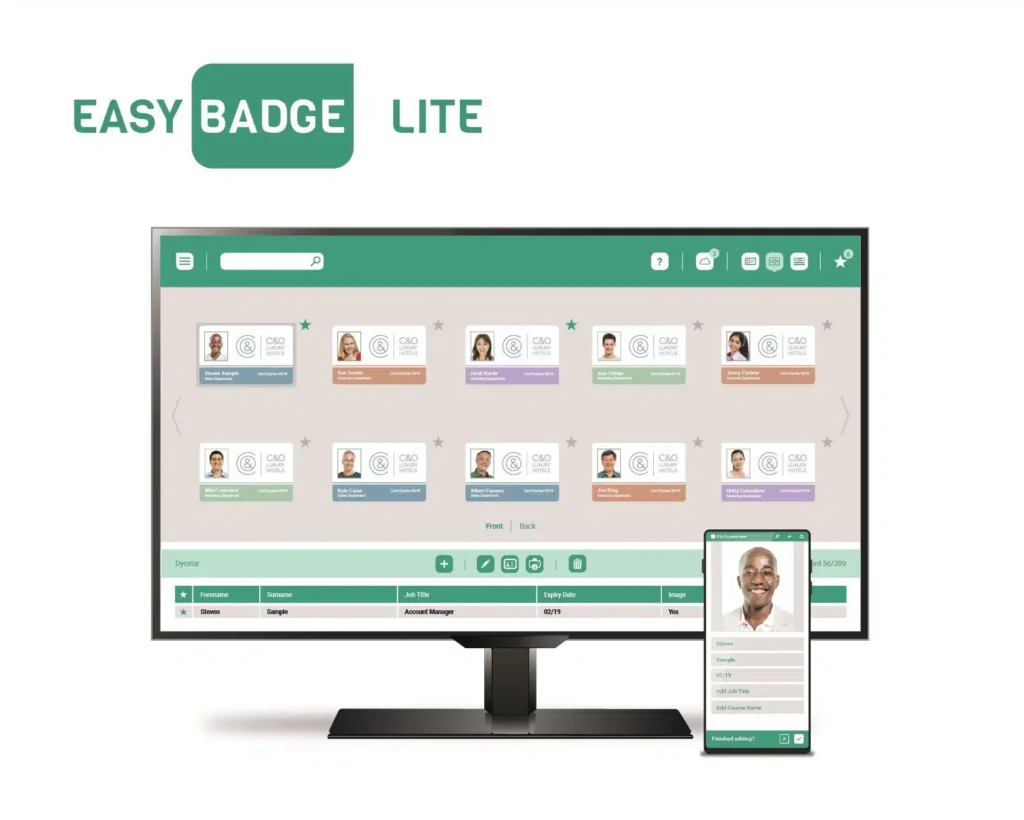
EasyBadge Lite is a starting point for designing and printing ID cards when your database will stay within 100 records. Use it to build a repeatable card template with names, photographs and other visible information. Check the record limit against your planned use before choosing this edition.
Prices exclude VAT. Choose the exact pack or option you need.
For a database within the Lite limit.
Text, images, barcodes and QR-code layouts.
Compare Professional or Smart for a larger database.
EasyBadge Lite is a starting point for designing and printing ID cards when your database will stay within 100 records. Use it to build a repeatable card template with names, photographs and other visible information. Check the record limit against your planned use before choosing this edition.

The design tools cover text, images, barcodes and QR codes. A setup wizard helps organise the database and layout, while CSV or Excel import can reduce repeated typing. Prepare consistent field names and usable photographs before importing data, and test a few records before printing a whole batch.
EasyBadge Lite is limited to one database and 100 records. The manufacturer's technical notes say records cannot be edited or re-added once the limit is reached. If the organisation is growing or replacing cards regularly, compare EasyBadge Professional before buying. Existing Lite owners can consider the Lite-to-Professional upgrade.
The desktop software is for Windows; it is not a native macOS application. The manufacturer lists .NET 4.8 as a dependency and provides a phone app for uploading records and photographs. The app supports the desktop workflow rather than replacing the Windows card-printing installation.
Printing uses the appropriate Windows printer driver. Check the card size, printer mode and artwork together. Lite does not include contactless encoding; compare EasyBadge Smart if that is required. Magnetic encoding also needs supported hardware. Software alone cannot add an encoder or duplex mechanism to a printer.
Review the manufacturer's edition and hardware compatibility table before choosing specialist printing or encoding functions.
The stated limit is the database's record capacity, not a pack of physical cards. The manufacturer's limit behaviour still makes it important to plan ongoing use.
The EasyBadge desktop application is not native macOS software. Check your computer setup before ordering.
This listing is for software. Confirm any separate printer, card and consumable requirements.
| Edition | EasyBadge Lite |
|---|---|
| Desktop platform | Windows; not macOS |
| Database record limit | 100 records |
| Number of databases | One |
| Data import | CSV / Excel |
| Contactless encoding | Not included |
| Brand | EasyBadge |
| Product code | S-EB-LITE |
Check the complete manufacturer specification, selected options and included items before ordering.
Dispatch depends on the exact product and availability. Confirm any required date with ACB. For personalised products, production follows artwork/proof approval and courier transit is separate.
Read the delivery & returns policyHave the product code, existing equipment or card reference, quantity and intended use ready. ACB can help you check what needs confirming.
Call 01308 426312Match the exact model, card format or attachment when choosing supplies and accessories.
CONTINUE EXPLORING
Explore more products and check the exact model, fitting or technology before ordering.


