
Match the card layout
Dual-sided printing in the equipped configuration.
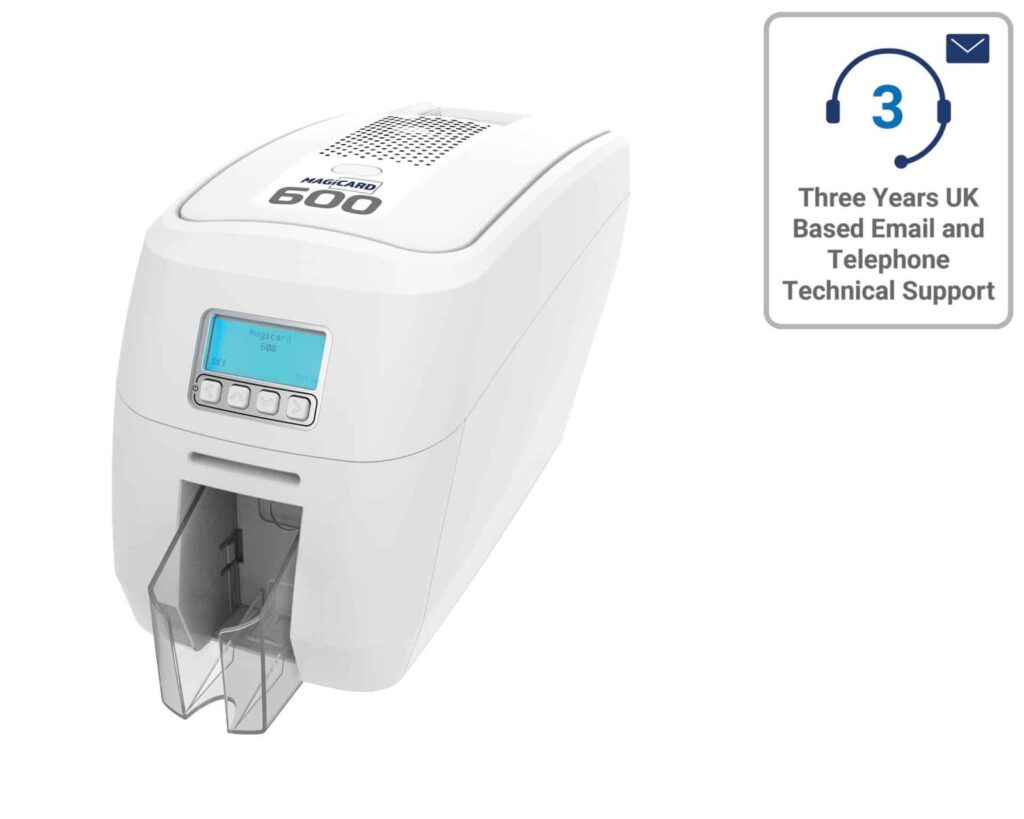
Check the full product specification before ordering.
SKU: ACB-MAG600
Choose an option to see stock
Magicard 600 Duo for automatic printing on both sides of photo ID, staff and membership cards.
Dual-sided printing in the equipped configuration.
Check hopper capacity and the selected print mode.
Confirm supplies, host software and any fitted encoding options.
This Magicard 600 ID card printer listing is the dual-sided configuration for cards carrying information on both faces. The 100-card feeder supports batches; use the hand-feed slot for individual cards.
The enhanced 600 × 300 dpi specification applies to resin-only printing. Check the selected mode when assessing small text, barcodes and artwork. HoloKote watermark features and digital shredding provide additional printer security functions.
Magicard publishes colour output of up to 190 cards per hour. This is a single-face rating; allow for the selected artwork, second-side printing and any encoding when planning production.
View the MB300YMCKO colour ribbon and blank white PVC cards. Choose the approved MB reference for the printer region and print workflow. MC colour ribbons for the Magicard 300 are a different family. Use the 3633-0053 cleaning reference for routine maintenance.
USB and Ethernet support office connections; confirm the supplied Wi-Fi and encoder configuration if these are required.
Before ordering, confirm the supplied items, software licence, current driver support, warranty terms and delivery date with ACB. Printing a barcode, QR code or artwork does not encode a card’s chip or magnetic stripe.
You can compare Magicard printers, or use our photo ID card printing service for finished cards.
Magicard 600 manufacturer specifications.

It suits teams that regularly issue photo ID with information on both faces. For example, keep the photograph and name on the front and place contact details or instructions on the reverse. The Duo prints both faces automatically, while the hopper helps you prepare batches of staff or membership cards.
No. Magicard specifies the enhanced 600 × 300 dpi mode for resin-only printing. It can help with fine black detail, but it is not the resolution claim for every colour image. If your design has very small text or a barcode, check the artwork and the chosen print mode together.
The required ribbon and yield depend on the design for each face. Start with the approved MB ribbon family, then confirm whether the reverse needs black text or full colour. A quoted ribbon yield does not always equal the number of finished two-sided cards. Also check the printer region before ordering a replacement.
USB and Ethernet provide a choice of local or wired network use. Before ordering, check the current driver support for your computers and how the printer will be shared. If you need Wi-Fi or card encoding, ask ACB to confirm that the supplied configuration includes the required feature.
For the Magicard 600 ID card printer, choose approved cards, a matching MB ribbon and the 3633-0053 cleaning supplies. Smooth, compatible card surfaces help direct-to-card printing. If you plan to use access cards, confirm the chip technology and separate encoding workflow as well. ACB can help you specify the complete setup before you place an order.
| Model | Magicard 600 Duo |
|---|---|
| Printing | Dual-sided |
| Technology | Direct-to-card dye sublimation / thermal transfer |
| Resolution | Enhanced 600 × 300 dpi is resin-only |
| Connections | USB / Ethernet; confirm supplied Wi-Fi configuration |
| Card handling | 100-card feeder / 70-card output; hand feed |
| Published print-mode rating | 190/hour colour and 750/hour mono are single-face figures |
| Card stock | Approved CR80 stock; confirm print mode and thickness |
| Brand | Magicard |
| Product code | ACB-MAG600 |
| Printer Options | Base Model | Elatec TWN4 Encoder |
Check the complete manufacturer specification, selected options and included items before ordering.
Dispatch depends on the exact product and availability. Personalised cards and lanyards also need production time after artwork and proof approval. If you have an event or a required arrival date, please check with ACB before ordering.
For orders dispatched by ACB, UK letters and large letters use Royal Mail, and UK parcels use Parcelforce. Checkout shows the services and charge available for your order. Express delivery does not shorten artwork approval or production time.
Your dispatch email and account order details show the delivery references we have received. Royal Mail 24/48 provides delivery confirmation, rather than full tracking. For tracked services, use the carrier link for parcel updates.
Please contact ACB with your delivery country, postcode and order details so we can confirm the available service and delivery price before you order.
Have the product code, existing equipment or card reference, quantity and intended use ready. ACB can help you check what needs confirming.
Call 01308 426312PLAN YOUR CARD PRINTING
Compare the 600 with the 300 when detailed artwork and production workflow matter. Check resolution for the exact colour or resin print mode rather than assuming the highest figure applies to every design.
Choose MB colour ribbon references for the supplied 600 configuration. Do not substitute an MC ribbon because its name or print yield looks similar; match the region and approved card material.
Ask ACB to confirm the supplied configuration, included items, software licence, applicable warranty terms and delivery arrangements. Allow for consumables and maintenance when comparing the complete cost of issuing cards.
Check the exact reference, region and pack contents on each listing. Listed prices exclude VAT; these items are separate products unless confirmed in your quotation.
Match the exact model, card format or attachment when choosing supplies and accessories.
CONTINUE EXPLORING
Explore more products and check the exact model, fitting or technology before ordering.


SKU: ACB-PRIMACY2D
Choose an option to see stock

SKU: 50000
Choose an option to see stock

SKU: 651302
Choose an option to see stock

