
Single-sided card output
Print the required design on one card face.
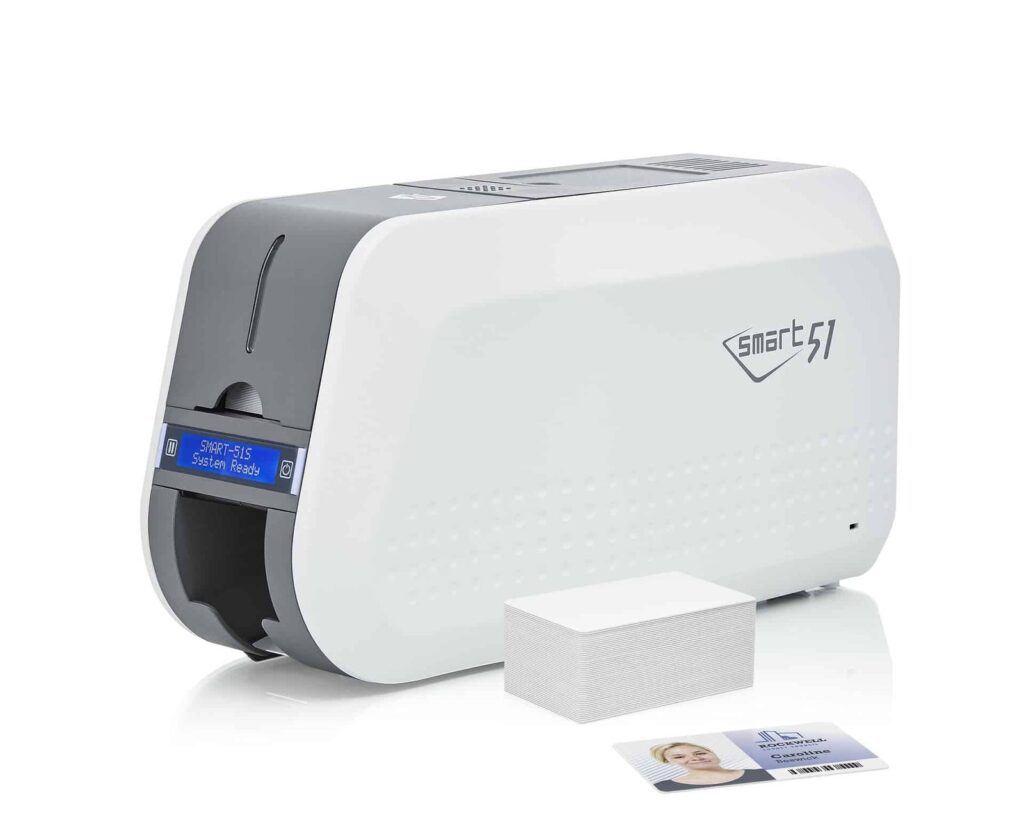
Check the full product specification before ordering.
SKU: 651302
Available to order
Single-sided CR80 card printing with a high-capacity input hopper. Select the required configuration; Ethernet and encoding are optional.
Prices exclude VAT. Choose the exact pack or option you need.
IDP SMART 51 · Original manufacturer PDF.
Check the selected configuration and bundle contents against this product listing.
Print the required design on one card face.
100-card covered or up to 200-card open-hopper loading.
Match the selected connection and encoder to your system.
The IDP Smart 51 single-sided ID card printer (SMART-51S) prints one face of staff, student, visitor and membership cards. It suits designs that place the required photo, name and other information on one card face. The SMART-51 platform uses a metal frame and an input hopper rated for 100 standard cards with the cover closed, or up to 200 with it open.
IDP rates the YMCKO colour mode at 212 cards per hour (17 seconds per card). Monochrome is rated at 720 cards per hour. Actual job speed depends on the ribbon, print mode, encoding, design and card handling. Colour resolution is 300 dpi; 600 and 1200 dpi settings are monochrome-only modes.
Use the Printer Options selector for the base model, Ethernet connectivity, magnetic encoder or contactless/MIFARE encoder configuration. These selections do not imply that every option is fitted together. Ask ACB if you need a combined network-and-encoder specification, and check that the encoder and software support your exact card technology.
The standard format is CR80, with 0.38–1.0 mm supported in the manufacturer's model specifications. Use suitable printable stock and check current drivers, software compatibility and the applicable UK warranty. For automatic two-sided printing, compare the dual-sided SMART-51 listing, or read IDP's SMART-51S specifications.

Match your ribbon to the artwork. Choose the IDP 659366 YMCKO colour ribbon for photo ID and branded cards, or the compatible black monochrome ribbon for single-colour text and graphics. The manufacturer lists nominal capacities of 250 and 1,200 prints respectively; settings and layout affect use.
Start with printable blank white PVC stock in a supported thickness. The IDP 659909 cleaning-card kit provides long cards for the prescribed cleaning routine. Clean stock and regular maintenance help support consistent output.
The Smart 51 combines a metal frame with automatic card feeding and a higher published YMCKO rate than the Smart 31. It is worth comparing when recurring staff, membership or student-card batches make throughput and loading capacity important.
The existing standard configuration is rated for 100 cards with the cover closed, or up to 200 with it open. Capacity depends on stock thickness and the supplied feeder. Allow room for loading and collecting cards when planning the printer's location.
This is the single-sided configuration. Choose the Smart 51 dual-sided printer if you need an automatic second face for return details, terms or other information. Decide the finished card layout before selecting the hardware.
Choose the required configuration in Printer Options. The listed Ethernet, magnetic and contactless choices are separate options. Ask ACB to check any combined requirements and the exact card technology before ordering; a printable surface alone does not establish access-system compatibility.
Check the current IDP driver, computer operating system and design-software licence. Prepare a sample template, photographs and data, then test the actual card stock and any barcode reader. Confirm supplied consumables and software rather than assuming another seller's bundle is included.
If your organisation issues cards only occasionally, compare the complete ownership cost with ACB's photo ID card printing service.
| Model | IDP SMART-51S |
|---|---|
| Print mode | Single-sided, direct-to-card |
| Colour resolution | 300 dpi |
| Higher-resolution modes | 600 / 1200 dpi monochrome only |
| Card format / thickness | CR80, 0.38–1.0 mm |
| Input capacity | 100 covered / up to 200 open |
| Rated colour mode | YMCKO: 212 cards/hour |
| Rated mono mode | 720 cards/hour |
| Connectivity | USB; Ethernet configuration optional |
| Encoding | Magnetic or contactless configuration optional |
| Brand | IDP |
| Product code | 651302 |
| Printer Options | Base Model, Contactless / MIFARE Encoder, Ethernet Connectivity, Magnetic Encoder |
Check the complete manufacturer specification, selected options and included items before ordering.
Dispatch depends on the exact product and availability. Confirm any required date with ACB. For personalised products, production follows artwork/proof approval and courier transit is separate.
Read the delivery & returns policyHave the product code, existing equipment or card reference, quantity and intended use ready. ACB can help you check what needs confirming.
Call 01308 426312Match the exact model, card format or attachment when choosing supplies and accessories.
CONTINUE EXPLORING
Explore more products and check the exact model, fitting or technology before ordering.


