
Match the reference
R6F003EAA identifies the consumable family.
Check the full product specification before ordering.
SKU: R6F003EAA
Available to order
Evolis R6F003EAA YMCKOK ribbon for colour on the front and resin black on the reverse with a compatible original Primacy dual-sided setup.
Prices exclude VAT. Choose the exact pack or option you need.
R6F003EAA identifies the consumable family.
YMCKOK consumable for the stated printing process.
Check layout, card stock and output requirements.

The Evolis R6F003EAA YMCKOK ribbon produces colour on the front and resin black on the reverse with a compatible original Primacy dual-sided setup. Its manufacturer-rated capacity is 200 prints per roll. Choose this format when you need a photo or logo on one face and black details on the other.
This ribbon has six panels: yellow, magenta, cyan, black, overlay and a second black panel. The colour panels create the front design, while the extra resin black panel supports reverse-side text and line artwork. For example, a staff card can have a photograph and name on the front, with return instructions on the back.
The clear overlay protects the printed colour face. However, this ribbon does not provide a second full set of colour panels for the reverse. If your design needs full colour on both faces, confirm the appropriate ribbon and print mode before ordering.
Check the full printer generation as well as the Primacy name. Evolis lists the R6F003 family separately from the newer R6F203 family in its consumables compatibility chart. A printer must also be equipped and configured for the intended two-sided workflow. A matching ribbon does not add automatic dual-sided printing to a single-sided printer.
The EAA suffix identifies the regional supply reference. Compare it with the previous ribbon label and the printer’s region before buying. If the printer came from another market, ask ACB to check the complete reference. Evolis’s region-code guide explains how to find this information.
Calculate the Evolis R6F003EAA YMCKOK ribbon requirement using your front-and-reverse design and the supported duplex mode.
The nominal capacity relates to the available ribbon panel sets. Finished output depends on the selected layout and print mode. For a colour-front, black-reverse design, choose the correct settings so the additional black panel is used as intended. Also allow for test cards and any reprints when planning supplies for a batch.
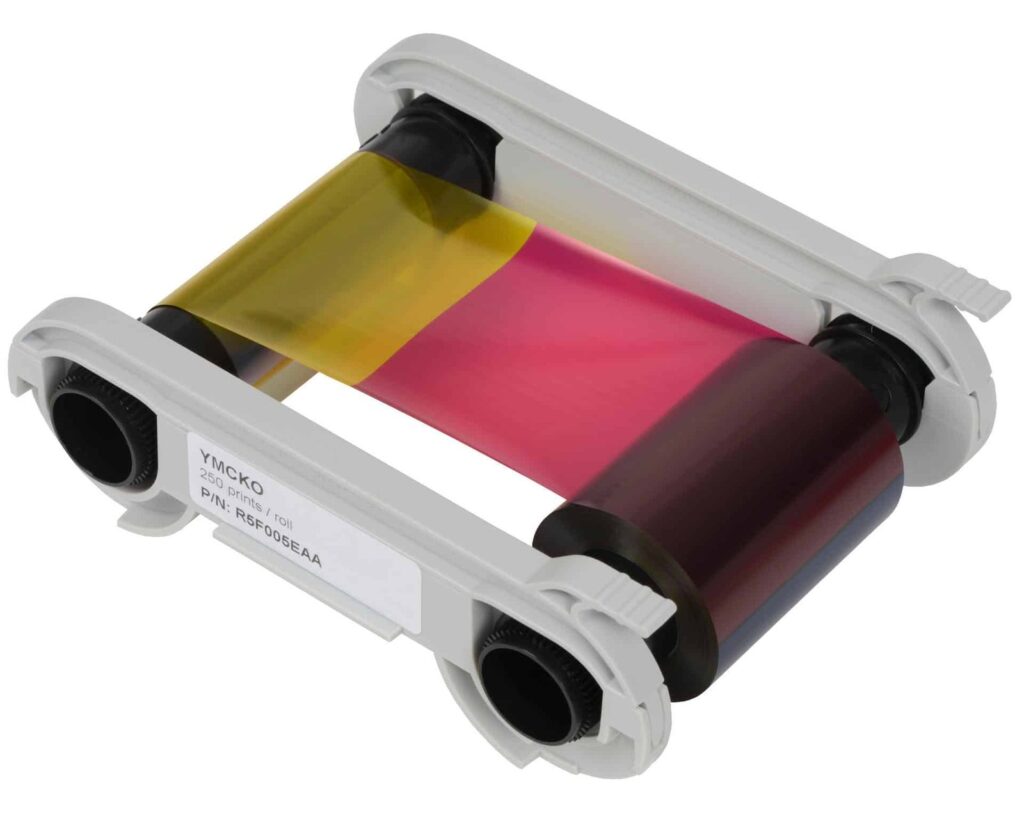
For a conventional colour design, you can compare the R5F008EAA YMCKO ribbon. Select the reference for the artwork and compatible printer, rather than choosing solely by the larger print count.
Use approved cards with clean, suitable printable surfaces. Our blank white PVC cards are a starting point for conventional ID designs. For access-control work, compare MIFARE cards only after checking the reader system, chip and card surface. The printed design and chip encoding are separate parts of the job.
Follow the printer’s cleaning and loading instructions. Keep spare ribbons in their original packaging in cool, dry conditions, away from dust and sunlight. Evolis’s YMCKOK ribbon datasheet gives the panel format and storage guidance.
Before you order the Evolis R6F003EAA YMCKOK ribbon, give ACB the printer model and current ribbon reference if you need a compatibility check. Alternatively, browse our printer ribbons to compare supplies for your exact printer.
| Manufacturer reference | R6F003EAA |
|---|---|
| Ribbon | YMCKOK |
| Nominal rating | 200 images / panel sets |
| Process | direct-to-card |
| Printer compatibility | Original Primacy; verify generation and regional reference |
| Brand | Evolis |
| Product code | R6F003EAA |
Check the complete manufacturer specification, selected options and included items before ordering.
Dispatch depends on the exact product and availability. Confirm any required date with ACB. For personalised products, production follows artwork/proof approval and courier transit is separate.
Read the delivery & returns policyHave the product code, existing equipment or card reference, quantity and intended use ready. ACB can help you check what needs confirming.
Call 01308 426312Match the exact model, card format or attachment when choosing supplies and accessories.
CONTINUE EXPLORING
Explore more products and check the exact model, fitting or technology before ordering.


