
Black monochrome
Single-colour printing for matching card artwork.
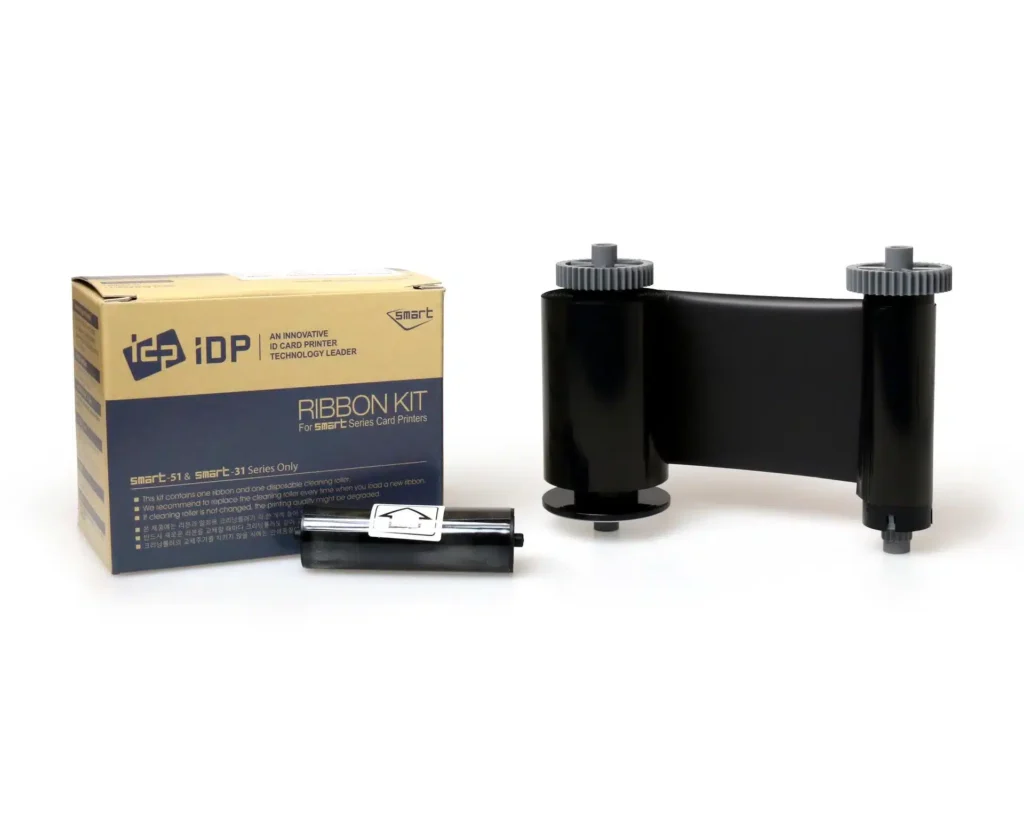
Check the full product specification before ordering.
SKU: 659367
449 in stockLast stock check: 18:42, 30 Oct 2026 UK time
IDP Smart 659367 black monochrome ribbon for SMART-31 and SMART-51 printers. Nominal 1,200-print rating with a cleaning roller. Suitable for black text, numbering, line graphics and tested barcode designs.
Prices exclude VAT. Choose the exact pack or option you need.
Single-colour printing for matching card artwork.
Capacity listed in IDP's consumables table.
Replace supplies following the printer's instructions.
The IDP Smart 659367 ribbon prints black text, numbering, line graphics and suitable barcode artwork on SMART-31 and SMART-51 cards. IDP lists a nominal 1,200-print capacity and includes a cleaning roller. It is a practical supply when the card design needs a single printed colour.
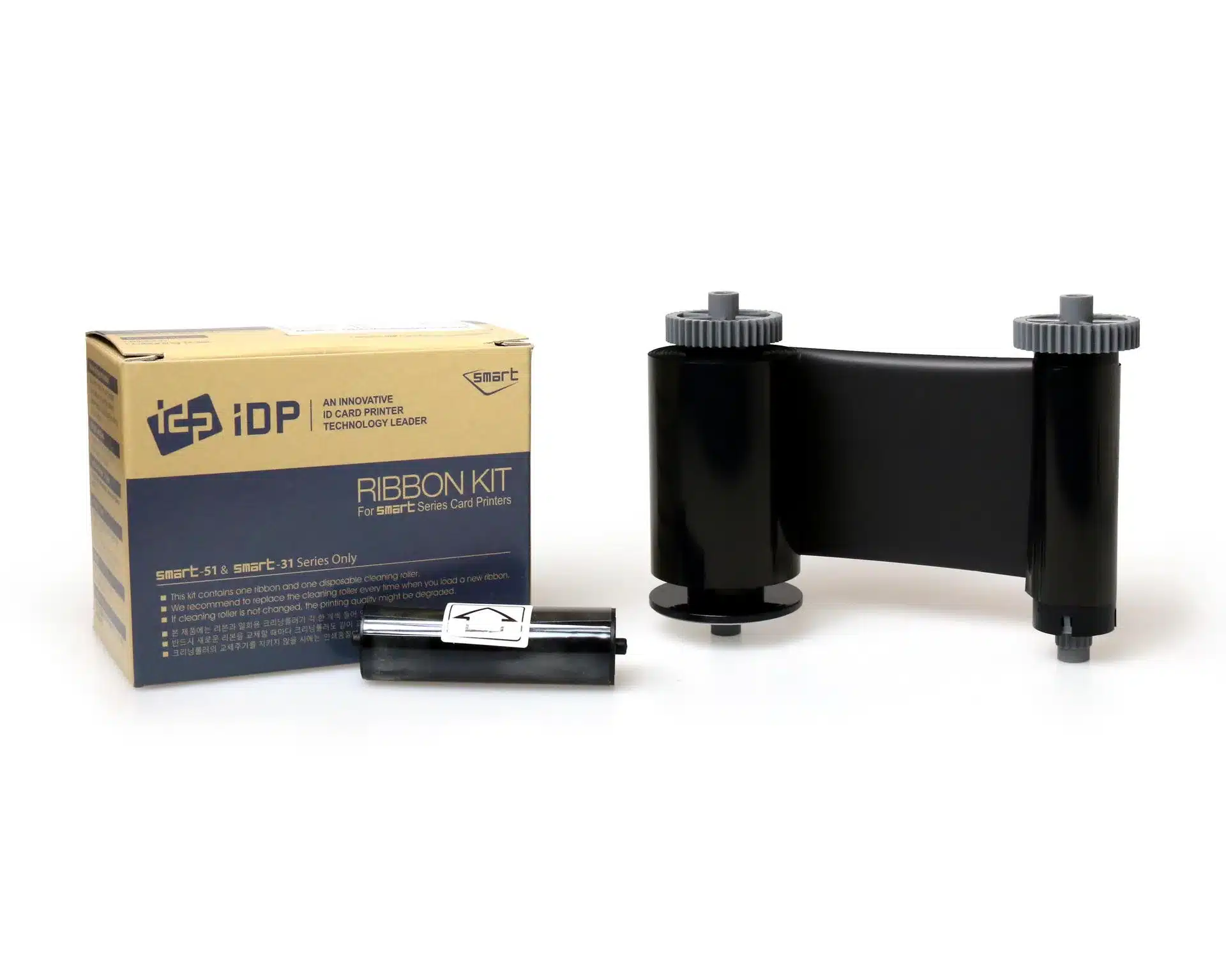
Staff names, membership numbers and simple line logos can often be prepared as a monochrome layout. Use a contrasting printable surface and check the artwork at its final size. For colour photographs or multi-colour branding, choose the IDP 659366 YMCKO colour ribbon instead.
The quoted print capacity is a nominal consumable rating. Layout and print settings affect ribbon use, so calculate requirements from your actual job and allow for sample prints. Do not assume every two-sided design produces a fixed number of completed cards from one roll.
Start with premium blank white PVC cards in a size and thickness supported by your printer. For access-control projects, review our MIFARE Classic 1K cards only after confirming your reader technology, card construction and any required encoder. Ribbon choice controls the printed artwork; access-system compatibility depends on the card and encoding setup.
Use the supplied cleaning roller as directed and keep IDP 659909 long cleaning cards available for the prescribed maintenance routine. Clean card surfaces and correct driver settings are useful starting points when checking print consistency.
IDP lists 659367 in its SMART-31 and SMART-51 consumables information. Check the printer label and existing supply reference before replacement. A black ribbon intended for another IDP model should not be assumed interchangeable.
This is a black monochrome ribbon. Use a supported full-colour ribbon where the design needs colour portraits or branding. A black-only photographic design should still be tested for the intended visual result.
The printed information needs adequate contrast. White card stock is a useful starting point for black text. If your approved card surface is dark, review the IDP 659370 white monochrome ribbon and test the result rather than expecting black artwork to remain clear.
It can print suitable black barcode artwork. Prepare the correct dimensions and black settings, then scan sample cards using the actual reader. Card contrast, printing quality and code placement all contribute to reliable reading.
The included roller is one part of the printer's maintenance process. Follow the manufacturer's loading, roller replacement and cleaning instructions, and use the specified cleaning cards when required.
For a colour front and black reverse, compare the 659376 YMCKOK ribbon with the correct duplex printer. Manufacturer reference: IDP SMART-31S consumables list.
| Part number | 659367 |
|---|---|
| Print colour | Black |
| Ribbon type | Monochrome |
| Rated capacity | 1,200 prints; design-dependent use |
| Printer families | IDP SMART-31 and SMART-51 |
| Included accessory | Cleaning roller |
| Brand | IDP |
| Product code | 659367 |
Check the complete manufacturer specification, selected options and included items before ordering.
Dispatch depends on the exact product and availability. Confirm any required date with ACB. For personalised products, production follows artwork/proof approval and courier transit is separate.
Read the delivery & returns policyHave the product code, existing equipment or card reference, quantity and intended use ready. ACB can help you check what needs confirming.
Call 01308 426312Match the exact model, card format or attachment when choosing supplies and accessories.
CONTINUE EXPLORING
Explore more products and check the exact model, fitting or technology before ordering.


