Single blue colour
Print names, numbers, line work and simple graphics.
Check the full product specification before ordering.
SKU: RCT012NAA
Available to order
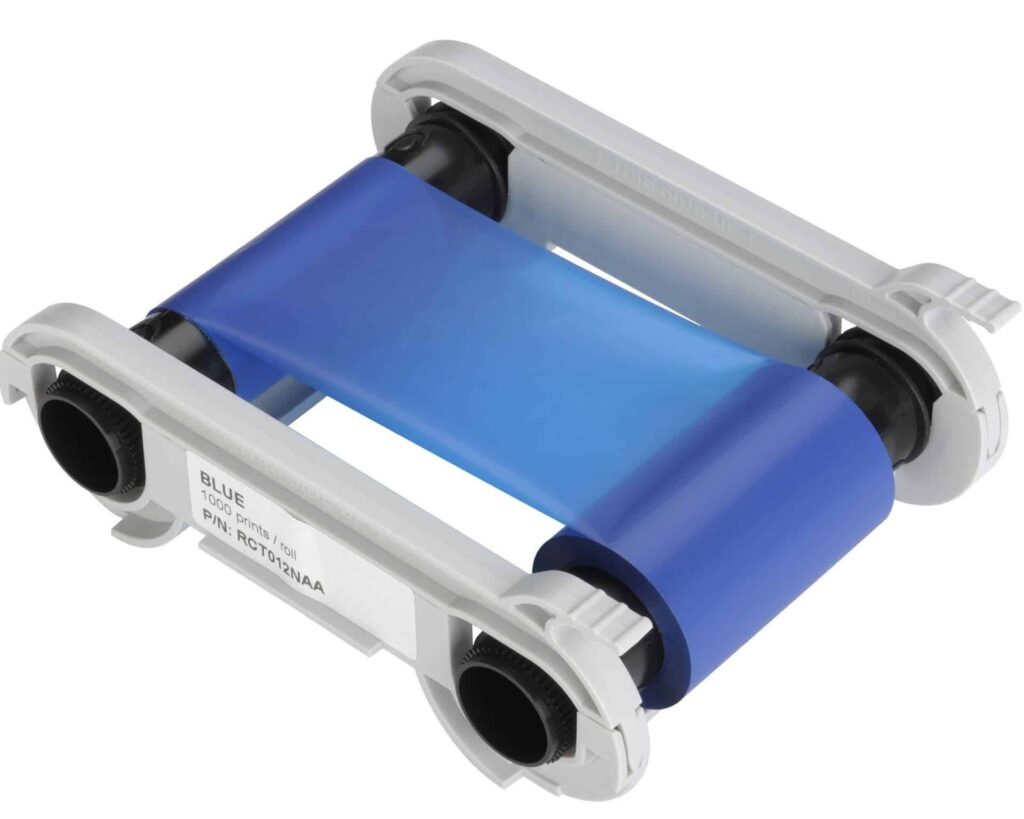
Blue monochrome ribbon, reference RCT012NAA, with a nominal 1,000-print rating. For compatible original Zenius, Primacy and other approved configurations. Match the exact code and card stock.
Prices exclude VAT. Choose the exact pack or option you need.
Print names, numbers, line work and simple graphics.
Original and newer printer generations use different blue ribbons.
Match the background, material, finish and printer settings.
The Evolis RCT012NAA blue ribbon prints blue names, numbers, line work and simple logos on suitable plastic cards. It is useful when the variable information needs one colour, including personalisation added to an approved preprinted design. Its published nominal capacity is 1,000 prints per roll.

The Evolis compatibility chart lists RCT012NAA for original Zenius and Primacy printers, with further approved configurations. Primacy 2 and Zenius 2 use the separate RCT212NAAA blue reference. Check the model and complete code on your current ribbon before replacing it.
A single-colour ribbon suits text and line graphics. For photographs or logos needing several colours in the same print, choose a compatible colour ribbon. If you are selecting a different monochrome colour, compare the RCT013NAA red ribbon for the original platform.
Evolis specifies suitable PVC or composite cards for its standard monochrome ribbons. Start with blank white PVC cards for a light background, checking the finish and thickness accepted by the printer. Approve a sample if the card already has coloured artwork.
This is a continuous ribbon. The nominal 1,000-print rating varies with the length of the printed area, the supported ribbon-saving settings and the card faces used. Small text personalisation and a full-width design require different amounts of ribbon.
The ribbon prints its supplied blue colour. Check the finished sample against your artwork requirements before production. A screen preview and the actual result on the chosen card surface can appear different.
Test the completed card with the reader used in your application. Barcode size, contrast and reader technology all matter. Ask ACB about an appropriate black ribbon where the scanning requirement calls for it.
Check the reference, follow the printer's loading and cleaning instructions, and confirm the driver settings. Use the manufacturer compatibility chart and standard monochrome ribbon datasheet, or contact ACB for help matching supplies.
| Manufacturer reference | RCT012NAA |
|---|---|
| Ribbon | Blue |
| Nominal rating | 1,000 nominal prints; layout-dependent |
| Process | direct-to-card |
| Compatible models | Original Zenius, Primacy, Primacy Lamination, Core; Edikio Flex/Duplex |
| Brand | Evolis |
| Product code | RCT012NAA |
Check the complete manufacturer specification, selected options and included items before ordering.
Dispatch depends on the exact product and availability. Confirm any required date with ACB. For personalised products, production follows artwork/proof approval and courier transit is separate.
Read the delivery & returns policyHave the product code, existing equipment or card reference, quantity and intended use ready. ACB can help you check what needs confirming.
Call 01308 426312Match the exact model, card format or attachment when choosing supplies and accessories.
CONTINUE EXPLORING
Explore more products and check the exact model, fitting or technology before ordering.