Adhesive token format
Attach a Net2 token to a suitable carried item.
Check the full product specification before ordering.
SKU: 660-100
Available to order
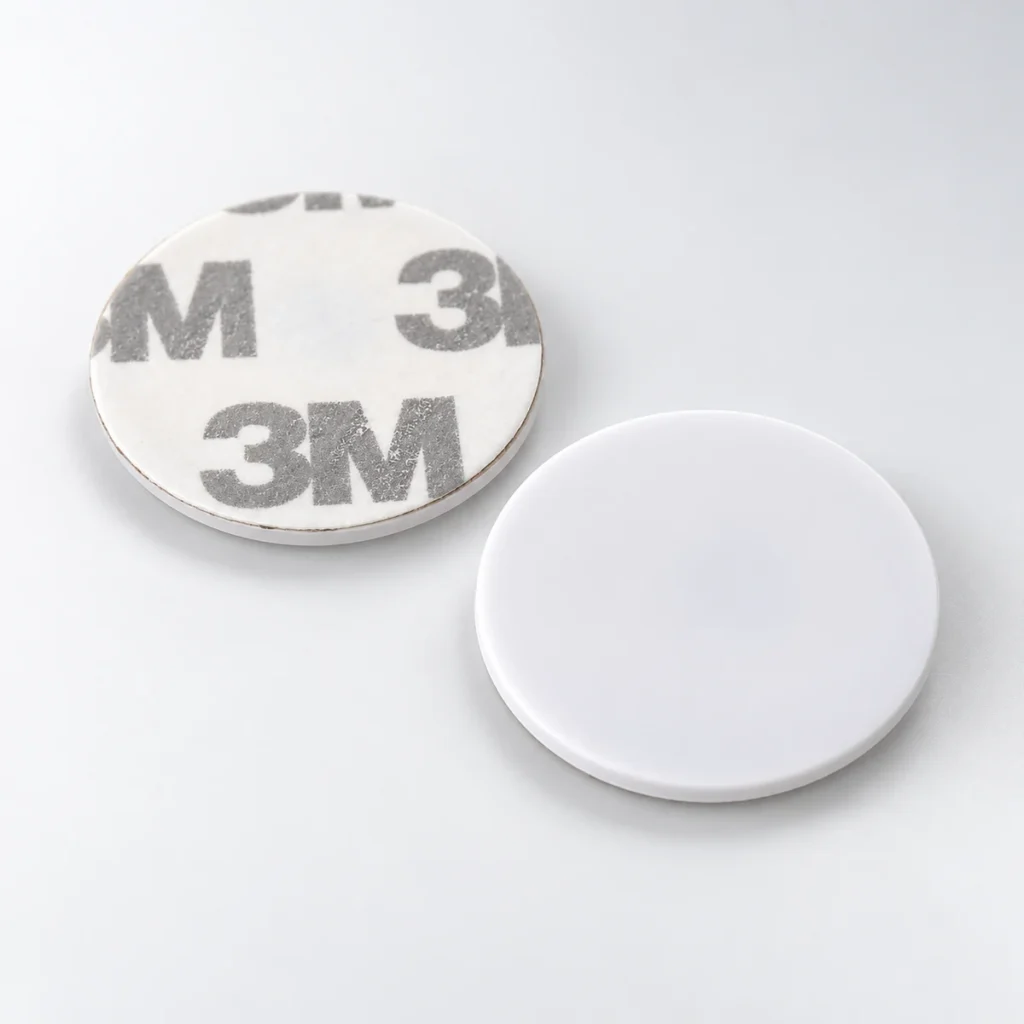
Paxton 660-100 discs add a self-adhesive Net2 proximity token to a suitable item the user carries. This pack contains ten discs for compatible Paxton Net2 installations. Plan the attachment position, reader test and user enrolment before issuing them.
Prices exclude VAT. Choose the exact pack or option you need.
Attach a Net2 token to a suitable carried item.
Allocate a separate token to each intended user.
Issue tokens and set permissions through the supported system process.
Paxton 660-100 discs add a self-adhesive Net2 proximity token to a suitable item the user carries. This pack contains ten discs for compatible Paxton Net2 installations. Plan the attachment position, reader test and user enrolment before issuing them.

Paxton describes use on items such as an ID card, wallet or keyring. Choose the position, attach the disc and test it with the intended reader before issuing it to users. The adhesive backing changes the attachment method; access still depends on the configured system.
To issue a token, the administrator creates or selects the user in Net2 software and enters the token number using the supported enrolment process. The system then grants or denies access according to that user's permissions. Paxton specifies proprietary Hitag2-based encoding and an authentication exchange between token and reader.
Confirm the installed Net2 reader and controller before ordering. The token is not automatically interchangeable with Paxton10, standalone card packs or other manufacturers' credentials. Keep token allocation and lost-token administration within the site's access-control process.
See Paxton's 660-100 product and enrolment information.
Keep the disc position clear of any information that must remain visible on an ID card. Test the intended item at the actual reader before a wider rollout. Keep a record linking each issued token to its user, and follow the administrator’s process for replacing or disabling a lost credential.
The disc provides the token. An administrator must enrol it and assign the appropriate permissions in the installed Net2 system. Adhesive attachment and access authorisation are separate steps.
Match the 660-100 reference to the installed Net2 readers and controllers. Confirm the system first when replacing a token from Paxton10, a standalone installation or another manufacturer.
Compare the Paxton 695-644 Net2 key fobs as an alternative token format. Ask the administrator to approve the reference and enrolment method for the intended system.
For help checking Paxton 660-100 discs against an existing installation, contact ACB with the reader model and current credential reference.
| Reference | 660-100 |
|---|---|
| Quantity | 10 discs |
| System | Paxton Net2 |
| Form | Self-adhesive proximity token |
| Technology | Paxton Hitag2-based proprietary encoding |
| Enrolment | Net2 user/token administration |
| Access permissions | Configured within the installed system |
| Brand | Paxton |
| Product code | 660-100 |
Check the complete manufacturer specification, selected options and included items before ordering.
Dispatch depends on the exact product and availability. Confirm any required date with ACB. For personalised products, production follows artwork/proof approval and courier transit is separate.
Read the delivery & returns policyHave the product code, existing equipment or card reference, quantity and intended use ready. ACB can help you check what needs confirming.
Call 01308 426312Match the exact model, card format or attachment when choosing supplies and accessories.
CONTINUE EXPLORING
Explore more products and check the exact model, fitting or technology before ordering.
SKU: S50HI
297 in stock
ACB ID products
SKU: NTAG213
730 in stock