
Standalone system pack
Match the green pack to a compatible Compact or Switch2 installation.
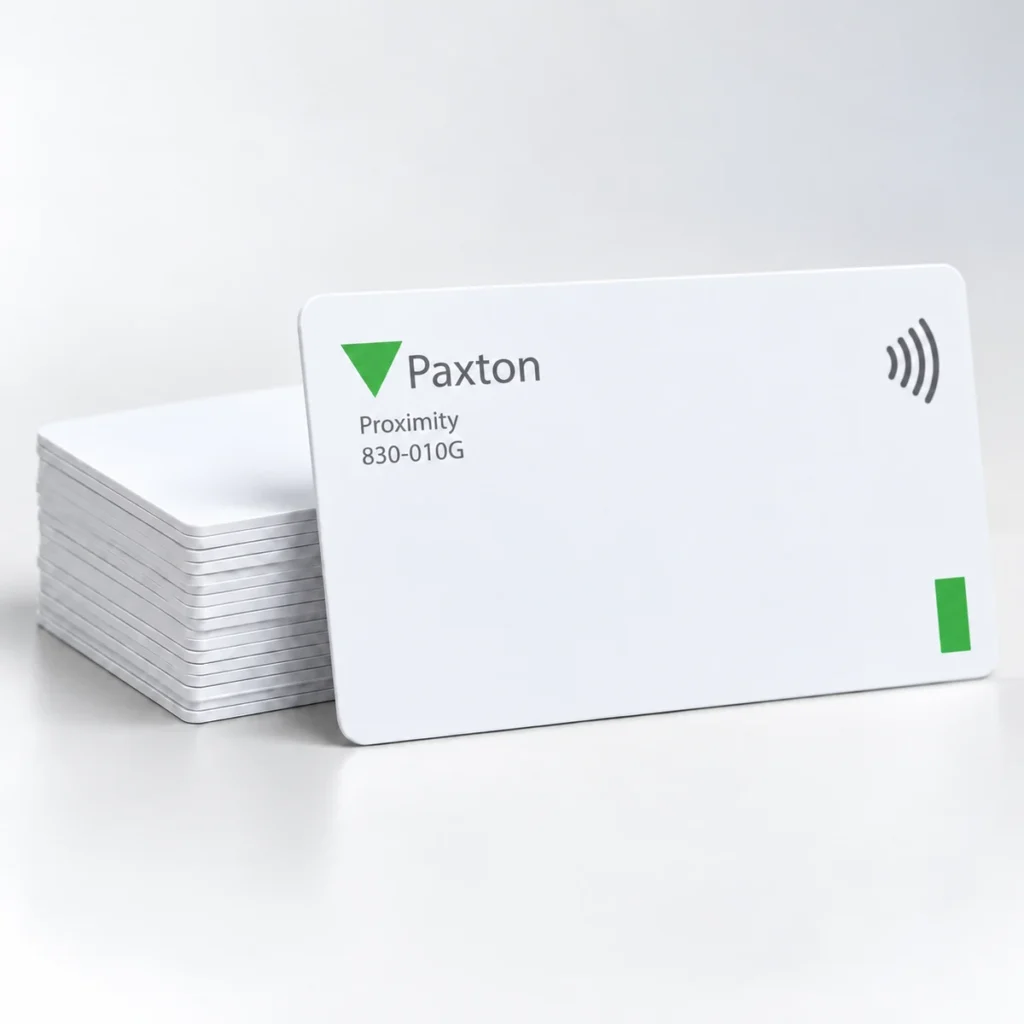
Check the full product specification before ordering.
SKU: 830-010G
Available to order
Paxton 830-010G cards are supplied as the green ten-user-card pack for compatible Compact and Switch2 installations. The pack uses Paxton's shadow-card administration method. Match the exact system and pack colour, then plan how user cards and the corresponding administrator records will be issued and managed.
Prices exclude VAT. Choose the exact pack or option you need.
Match the green pack to a compatible Compact or Switch2 installation.
Keep the matching shadow card for each issued user card.
Enrol and issue cards using the manufacturer pack workflow.
Paxton 830-010G cards are supplied as the green ten-user-card pack for compatible Compact and Switch2 installations. The pack uses Paxton's shadow-card administration method. Match the exact system and pack colour, then plan how user cards and the corresponding administrator records will be issued and managed.

The manufacturer supplies enrolment and function cards for the pack workflow. Follow the installed system instructions when adding the first pack or an additional pack. Keep the administrator cards and shadow cards under the control of the person managing access.
When issuing a user card, record the user against its matching shadow card. Paxton's procedure allows the administrator to void a lost user card by presenting the corresponding shadow card at the relevant readers. This supports ongoing card administration; access depends on correct enrolment and configuration.
The green pack colour supports Paxton's coloured-zone arrangements where configured. It does not set a universal access level across every installation. Confirm Compact/Switch2 compatibility and the required pack colour before ordering; Net2 and Paxton10 use different token-management arrangements.
See Paxton's 830-010G product and shadow-card instructions.
Choose Paxton 830-010G cards using the reference required by the installed standalone system. Decide who will keep the enrolment, function and shadow cards and how issued users will be recorded. A clear handover helps the site administrator handle replacements and withdrawn access consistently.
Check the first-pack or additional-pack procedure in the Paxton instructions before enrolment. Keep the administrator cards separate from normal user issue. For a Net2 installation, compare Net2 ISO cards or Net2 key fobs against the system specification instead of ordering by the Paxton brand alone.
This reference is the ten-user-card pack, with the associated shadow-card administration arrangement. Follow the manufacturer's pack instructions when preparing it for issue.
It forms part of the configured coloured-zone scheme where used. Confirm the required pack colour and site procedure; colour alone does not establish a universal access level.
Compact and Switch2 shadow-card packs use their specified administration workflow. Net2 has a different token-management arrangement, so confirm the installed system before choosing a reference.
Check the selected quantity and specification before adding this product to your basket. For help matching a card, reader or wearing accessory to your requirements, contact ACB.
| Reference | 830-010G |
|---|---|
| Pack colour | Green |
| User cards | 10 |
| Systems | Paxton Compact and Switch2 |
| Administration | Matching shadow cards |
| Pack setup | Enrolment / function cards |
| Lost-card process | Use the corresponding shadow card as instructed |
| Brand | Paxton |
| Product code | 830-010G |
Check the complete manufacturer specification, selected options and included items before ordering.
Dispatch depends on the exact product and availability. Confirm any required date with ACB. For personalised products, production follows artwork/proof approval and courier transit is separate.
Read the delivery & returns policyHave the product code, existing equipment or card reference, quantity and intended use ready. ACB can help you check what needs confirming.
Call 01308 426312Match the exact model, card format or attachment when choosing supplies and accessories.
CONTINUE EXPLORING
Explore more products and check the exact model, fitting or technology before ordering.
SKU: DS4KHI