
Match the reference
RCT013NAA identifies the consumable family.
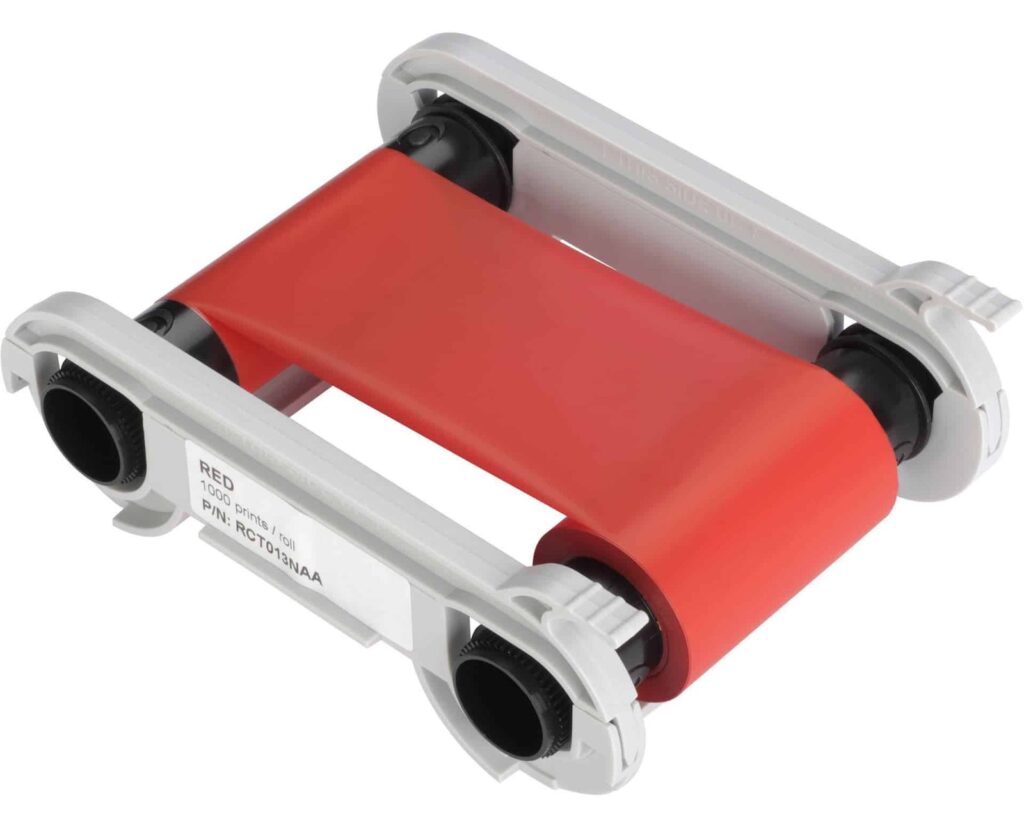
Check the full product specification before ordering.
SKU: RCT013NAA
Available to order
Evolis RCT013NAA red monochrome ribbon for compatible original Zenius and Primacy printers. Rated for up to 1,000 prints; match the printer generation and card surface before ordering.
Prices exclude VAT. Choose the exact pack or option you need.
RCT013NAA identifies the consumable family.
Red consumable for the stated printing process.
Check layout, card stock and output requirements.
The Evolis RCT013NAA red ribbon prints single-colour text, logos and line artwork on compatible cards. Its nominal capacity is up to 1,000 prints per roll. Use it when a red element is part of the design, such as a coloured role label or simple branding on an otherwise pre-printed card.

Match this reference to the original Evolis Zenius or Primacy generation. The manufacturer chart lists RCT013NAA and the newer RCT213NAAA as separate references. Check the full printer model before buying for Primacy 2 or Zenius 2. Use the Evolis compatibility chart or give ACB the current ribbon label to check.
It suits a design that needs one printed colour. For example, you might add a red role name to an approved card template. However, the ribbon does not reproduce a full-colour photograph. If you need several colours in one pass, choose an approved colour ribbon for the exact printer instead.
Check the design with the intended reader before committing to a batch. The ribbon colour, card background, code size and reader all matter. A red printed code should not be assumed to work in every scanning system. If machine reading is essential, discuss the tested layout and suitable ribbon with ACB.
The continuous ribbon’s actual output depends on the printed area and supported saving settings. Allow for setup cards, reprints and both faces if relevant. Use clean, approved card stock with the correct printable surface. Our blank white PVC cards are an option to assess for a conventional red-on-white design.
Follow the printer’s loading and maintenance guide. Keep spare ribbons unopened in cool, dry storage, away from dust and sunlight. Evolis covers these supplies in its standard monochrome ribbon datasheet.
Browse our Evolis ribbon range for other colours and references. Have the RCT013NAA code, printer model and intended layout ready if you need a compatibility check.
| Manufacturer reference | RCT013NAA |
|---|---|
| Ribbon | Red |
| Nominal rating | Up to 1,000 prints; layout-dependent |
| Process | direct-to-card |
| Printer generation | Original Zenius / Primacy; match the full reference |
| Brand | Evolis |
| Product code | RCT013NAA |
Check the complete manufacturer specification, selected options and included items before ordering.
Dispatch depends on the exact product and availability. Confirm any required date with ACB. For personalised products, production follows artwork/proof approval and courier transit is separate.
Read the delivery & returns policyHave the product code, existing equipment or card reference, quantity and intended use ready. ACB can help you check what needs confirming.
Call 01308 426312Match the exact model, card format or attachment when choosing supplies and accessories.
CONTINUE EXPLORING
Explore more products and check the exact model, fitting or technology before ordering.


SKU: 45000

