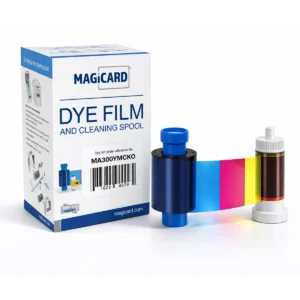
Clear transfer film
Transfers the printed image to the card.

Check the full product specification before ordering.
SKU: PRIMA436
Available to order
Magicard PRIMA436 clear retransfer film, rated 1,000 prints. Listed for Prima 4 and Prima 8 printers. Use with the correct dye film for your printer; the clear film does not supply colour panels.
Prices exclude VAT. Choose the exact pack or option you need.
Transfers the printed image to the card.
Capacity listed by Magicard for PRIMA436.
Confirm the matching dye film for your Prima model.
The Magicard PRIMA436 retransfer film is the clear transfer film listed for Prima 4 and Prima 8 printers, with a rated capacity of 1,000 prints.
The printer uses dye film to form the image on the retransfer film before applying it to the card. PRIMA436 does not replace the colour ribbon or a separately specified patch laminate.
Check the Magicard PRIMA436 listing, or ask ACB to check your exact model before ordering.
| Part number | PRIMA436 |
|---|---|
| Consumable type | Clear retransfer film |
| Manufacturer-listed families | Prima 4 and Prima 8 |
| Rated capacity | 1,000 prints |
| Colour dye film | Separate matching consumable |
| Brand | Magicard |
| Product code | PRIMA436 |
Check the complete manufacturer specification, selected options and included items before ordering.
Dispatch depends on the exact product and availability. Confirm any required date with ACB. For personalised products, production follows artwork/proof approval and courier transit is separate.
Read the delivery & returns policyHave the product code, existing equipment or card reference, quantity and intended use ready. ACB can help you check what needs confirming.
Call 01308 426312COMPLETE YOUR CARD PRINTING SETUP
Match the exact Prima generation and both colour ribbon and clear retransfer film. Check the supplied quantities for a single-set offer.
Retransfer printing applies the design through a separate film and is useful when printing smart cards with uneven surfaces. Choose the approved card construction for your printer, then match the chip and enrolment requirements to your reader system.
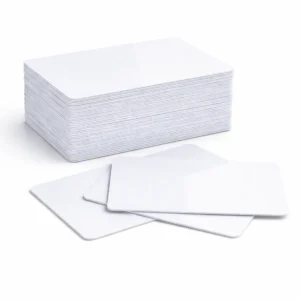 Premium blank white PVC cardsCR80, 760 micron. Choose a pack of 100 or 500 for visual ID printing. Price range: £8.50 through £30.00 ex. VAT
 MIFARE DESFire EV2 4K cardsPack of 100. For readers and applications configured for DESFire EV2 4K.£130.00 ex. VAT
 MIFARE Classic EV1 1K cardsPack of 100. Match an existing system specified for Classic EV1 1K.£47.99 ex. VAT
Printing and access control are separate. Printing the card face does not encode, enrol or activate the chip. DESFire and Classic cards are different technologies; match the system specification, keys and application setup. Classic EV1 is a replacement option for existing compatible systems, rather than a default choice for a new installation.
Card suggestions are separate products. Check the complete card, printer, ribbon and system specification before ordering. Prices and availability follow the current listings.
Match the exact model, card format or attachment when choosing supplies and accessories.
CONTINUE EXPLORING
Explore more products and check the exact model, fitting or technology before ordering.